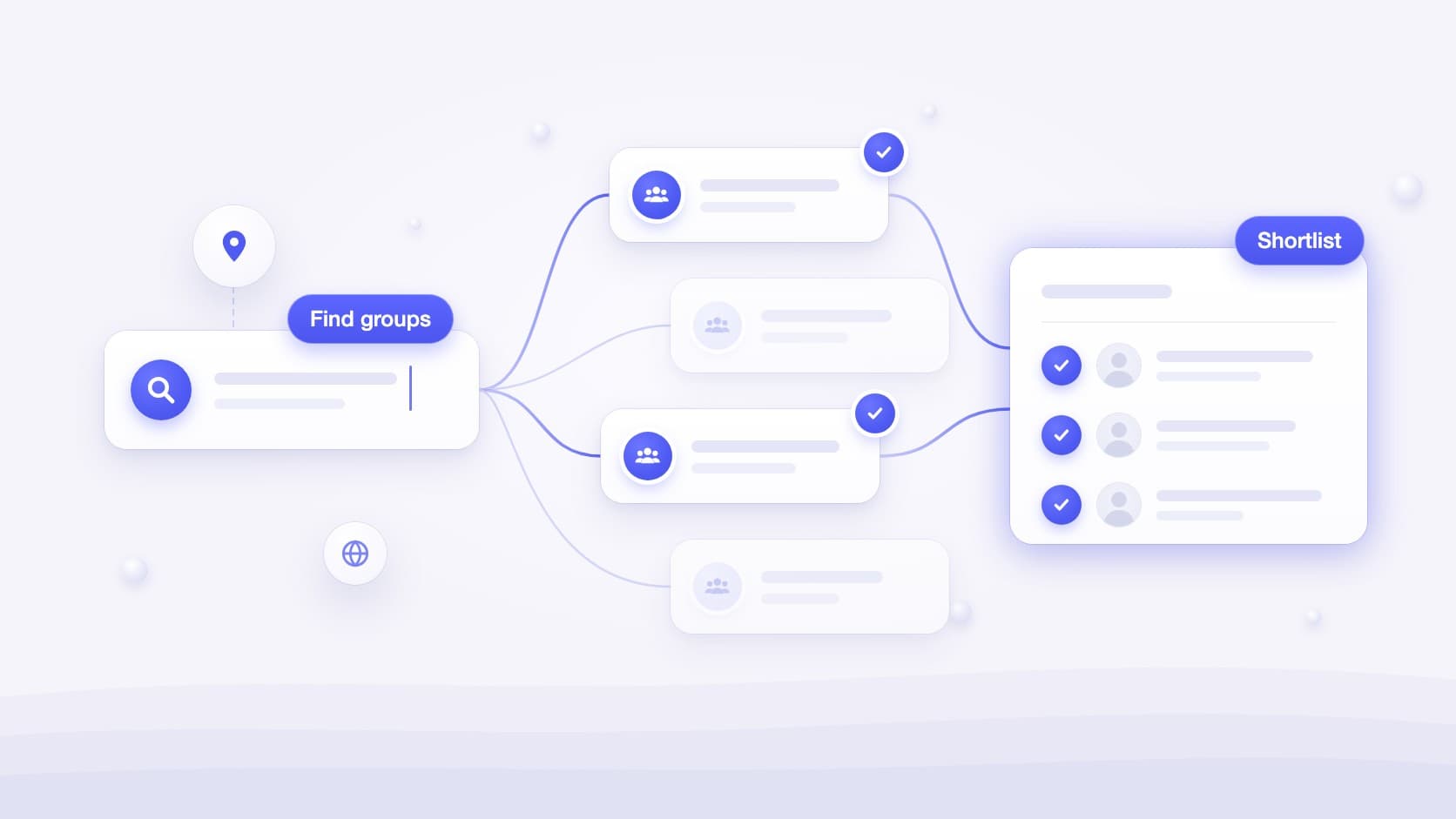
Most advice about Facebook groups starts after the hard part. “Join the right groups,” it says, and moves on to posting tips. But the right groups rarely announce themselves. The largest results in Facebook search are often old, noisy or dominated by promotion, while the neighborhood, trade or tool-specific community where your customers actually ask for help may have a forgettable name and only a few thousand members.
This guide is about that first step. You will learn seven practical ways to find Facebook groups for your business, the search phrases that surface them, how public, private and hidden groups differ, and a simple scorecard for deciding which groups deserve a place on your shortlist before you spend a single hour inside them.
TL;DR
- Search for the people you serve, not for your product category: a place, a role, a tool, a life event or a recurring problem.
- Combine Facebook search, Google’s
site:facebook.com/groupsoperator, a Facebook group finder and Facebook’s own suggestions. Each surfaces different groups. - Hidden groups cannot be found by search. Treat them as an invitation-only channel, never as something to work around.
- Vet every candidate on audience fit, recent activity, rules and moderation before you request to join.
- Keep a short list you can genuinely follow. Ten high-fit groups usually beat one hundred noisy ones.
Why the right group matters more than the number of groups
A Facebook group is not an audience you broadcast to. It is a room where members ask each other for advice, recommendations and reassurance. The value for a business comes from being present in the rooms where your service naturally belongs in the conversation, and from noticing those conversations while they are still current.
That makes relevance and activity far more important than size. A 4,000-member group of homeowners in your service area that produces two contractor requests a week is worth more to a local roofer than a 300,000-member national entrepreneurs group where every post is a pitch. The same logic applies to software: a group of dental office managers discussing scheduling headaches is a better fit for a practice-management tool than a generic startup community.
Before you search, write down three things: who buys or refers your service, where they are located, and which situations make them need you. Those answers become your search vocabulary for every method that follows. If you sell to local households, the local service lead generation playbook explains how those situations translate into group conversations.
7 ways to find Facebook groups for your business
No single method finds every useful group. Facebook search favors groups related to your own activity, Google only sees publicly indexed pages, and suggestions depend on what you already do on Facebook. Use several methods together and record every candidate in one list so you can compare them later.
1. Use Facebook search and the Groups results
The most direct route is Facebook’s own search. Type a keyword in the search bar, open the results, and switch to the Groups results so you only see communities rather than posts, people or Pages. Facebook’s help pages also describe opening Groups from the left menu of your Feed and using the search bar at the top to look for a group by name.
To get better results from Facebook group search:
- Search for identities and places, not services. “Austin homeowners” or “Shopify store owners” finds customer communities; “plumbing services” mostly finds other plumbers.
- Try synonyms and local spellings. “Neighbors”, “neighbours”, “community”, “residents”, “moms”, “network” and “buy nothing” all name groups differently.
- Use the filters you are offered. Depending on your app version, Facebook may let you narrow group results, for example to public groups or by location. The interface changes often, so check what your own results page shows.
- Expect personalized results. Facebook notes that search results reflect your own activity as well as wider community activity, so two people searching the same phrase can see different groups.
2. Search Google with the site:facebook.com/groups operator
Facebook’s internal search tends to reward large and familiar groups. Google can surface smaller communities, because it indexes many public group pages. The site: operator restricts results to a domain or URL prefix, so a query like the ones below only returns Facebook group pages:
site:facebook.com/groups "dental office managers"site:facebook.com/groups "Denver" homeowners recommendationssite:facebook.com/groups "property managers" "Florida"site:facebook.com/groups "Notion" users
Quotation marks force an exact phrase, which is useful for professions, place names and tool names. Google’s own documentation is clear that site: results are not an exhaustive list, and private groups expose little or nothing to search engines, so treat this as a way to widen your shortlist rather than a complete directory.
3. Use a Facebook group finder
Writing dozens of search variations by hand takes time, and it is easy to miss the angle your customers use. A Facebook group finder does that work from a description of your business. The free Find Prospects Now Facebook Group Finder analyzes your website or a short business description, builds a profile of your audience, topics and location, and ranks publicly discoverable Facebook groups by relevance, with a short reason for each suggestion.
- Add a city, region or country when you only serve a specific territory.
- Choose a preferred language when your customers mostly talk in one language.
- It works without a Find Prospects Now account and currently includes three searches per day.
- It relies on public web signals. It does not enter private groups, read member-only posts or bypass Facebook permissions.
4. Mine Facebook’s suggested and related groups
Once you belong to a few relevant groups, Facebook starts suggesting similar ones. Open Groups from the left menu of your Feed and choose Discover to see sections such as “Suggested for you” and “More suggestions”. According to Facebook, suggestions can draw on signals like your interests, location, the groups you already joined and what is popular nearby.
This method compounds: every high-fit group you join improves the next round of suggestions. It also works in reverse, so leave groups that turn out to be irrelevant rather than letting them steer your recommendations.
5. Follow Pages, events and local organizations
Groups are often attached to something else. A Facebook Page may link groups it runs, an event organizer may maintain a community for past attendees, and associations, chambers of commerce, coworking spaces, software vendors and course creators frequently host member groups. Look at:
- the Pages of tools your customers use, which often link an official user community;
- trade associations, local business associations and professional networks;
- events, meetups and conferences in your niche or city;
- newsletters and podcasts your customers follow, which sometimes run private groups.
Groups attached to an organization are often better moderated, because the organizer’s reputation depends on them. They also tend to have explicit rules about vendors, which saves you from guessing.
6. Ask customers and peers where they spend time
Your existing customers already know the communities you are looking for. During onboarding calls, reviews or follow-ups, ask a simple question: “Are there any Facebook groups where you ask other people for advice about this?” Peers, suppliers and complementary businesses can answer the same question from a different angle.
This is the only reliable way to learn about private, hidden groups. A hidden group can only be found by members or invited people, so a personal recommendation or invitation is the legitimate route in.
7. Search by city, neighborhood and language
Local businesses should build their list from the map outward. Start with the smallest geographic unit that names a community, such as a subdivision, neighborhood, suburb or school district, then move to the town, county and metro area. Combine each place with community words: “residents”, “neighbors”, “community board”, “moms”, “new to”, “moving to”, “recommendations” or “buy nothing”.
If your customers speak more than one language, repeat your searches in each language. Many cities have active expat, immigrant and bilingual communities that never appear in English-only searches.
Search phrase recipes by type of business
Use the table below as a starting point. Replace the bracketed words with your own city, niche, role or tool, then run each phrase in Facebook search and in Google with the site:facebook.com/groups operator.
| Business type | Facebook search phrases | Where customers gather |
|---|---|---|
| Local home services | [city] homeowners, [neighborhood] neighbors, [county] recommendations | Neighborhood, HOA, homeowner and town community groups |
| Real estate and moving | moving to [city], new to [city], [city] relocation | Relocation, newcomer, school district and expat groups |
| B2B software and SaaS | [role] community, [tool] users, [industry] owners | Professional, operator and tool user groups |
| E-commerce and products | [hobby] enthusiasts, [product category] tips, [brand] owners | Hobby, enthusiast and product owner communities |
| Coaches and consultants | [profession] network, [industry] entrepreneurs, women in [industry] | Career, peer support and professional development groups |
| Freelancers and agencies | startup founders, small business owners [city], [platform] sellers | Founder, small business and platform seller groups |
Software companies selling to a specific profession can go further with the SaaS customer playbook for Facebook groups, which covers tool user groups and competitor communities in detail.
Public, private and hidden groups: what you can find and join
A group’s privacy setting determines whether you can find it, what you can read before joining and how you get in. Facebook currently uses two privacy levels, public and private, and private groups can additionally be visible or hidden.
| Group type | Can you find it? | What you see before joining | How you get in |
|---|---|---|---|
| Public | Yes, in Facebook search and often on Google | Posts and the member list are visible to everyone | Join, sometimes with post approval |
| Private, visible | Yes, anyone on Facebook can find it | Name, description and some details; posts are for members only | Request to join and wait for admin approval, unless limited membership is on |
| Private, hidden | No, only members and invited people can find it | Nothing until you are invited | Invitation from a member or admin |
Some private groups use limited membership: you can join without approval and see and react to content, but you cannot post, comment or chat until an admin approves you.
Vet a group before you join it
Five minutes of inspection saves weeks of scrolling through the wrong feed. Open the group’s About section, read the rules and, where you can, scroll through the last two weeks of posts. The About section usually shows recent activity, such as the number of new posts today or in the last month.
| Criterion | Green flag | Red flag |
|---|---|---|
| Audience fit | Members look like people who buy or refer your service | Mostly competitors, vendors or job seekers |
| Recent activity | New member posts every week, with replies | Last real discussion months ago |
| Question ratio | Members ask for advice, recommendations and quotes | Feed made of ads, links and self-promotion |
| Rules | Clear rules, including how businesses may participate | No rules, or a ban on any business mention you cannot respect |
| Moderation | Spam removed quickly, admins visible in threads | Repeated spam and scams left unanswered |
| Geography and language | Matches the territory and language you can serve | Members far outside your service area |
Give each criterion a score from 0 to 2 and keep groups that reach 8 or more out of 12. Member count is useful context, but it does not appear in the scorecard on purpose: a small group with frequent, relevant questions beats a giant one where your post disappears in minutes.
Join without getting declined
Admins protect their members from spam, and your join request is their first look at you. Make the decision easy:
- Prepare your profile first. Use your real name and a recognizable photo, and add your role and business in the public part of your profile so admins and members can verify who you are.
- Answer membership questions honestly. Admins can ask up to three questions when you request to join. Say that you run a business if you do, and explain why the group is relevant to you.
- Accept the rules and mean it. Many groups ask you to agree to the rules before joining; that agreement is what admins will hold you to.
- Join as yourself when Pages are not allowed. Some admins do not let Facebook Pages join their groups, so a personal profile may be the only option.
- Be patient and pace yourself. Requests can stay pending until an admin reviews them. Joining a handful of groups at a time also keeps your activity looking like what it is: a real person choosing communities.
Once accepted, spend a few days reading before you contribute. You will learn the tone of the group, the questions that come up most and the local businesses members already trust.
From finding groups to catching opportunities
Finding groups is only useful if you notice the posts that matter inside them. With ten or more active groups, checking each feed by hand quickly becomes the bottleneck: posts are sorted by Facebook’s ranking rather than by relevance to you, and a good request can scroll out of view before you see it.
A simple workflow turns your shortlist into a monitoring routine:
- Shortlist 20 to 30 candidates with the seven methods above.
- Score them, then join the 10 to 15 that pass the vetting scorecard.
- Read them for two weeks and note which ones actually produce relevant questions.
- Monitor the groups that do, with keywords that describe your customers’ problems.
- Review your list every month: replace dead groups and add new candidates.
Find Prospects Now handles step four from your own Chrome browser. It scans the groups your Facebook account can already access, matches visible posts against your keywords, and collects relevant ones in a single dashboard with optional notifications. It does not need an admin role, as explained in our guide to monitoring Facebook groups for keywords without admin access. Plus supports up to 10 monitored groups and Pro up to 50, with AI intent matching for posts that never use your exact keywords.
Once relevant posts reach you, the rest of the system is about responding well. The guide on how to get leads from Facebook groups covers buying signals, helpful public replies and measuring what turns into business.
Common mistakes when looking for Facebook groups
- Choosing groups by member count. Size says nothing about whether members need you right now. Activity and fit do.
- Joining groups full of your competitors. Industry groups are useful for learning, but your customers are rarely in them.
- Joining dozens of groups in one sitting. Meta’s spam policy targets activity performed at very high frequency. Build your list gradually.
- Skipping the rules. A single promotional post in the wrong group can get you removed before you have helped anyone.
- Searching only in English or only by city. Neighborhood names, local nicknames and other languages often lead to the most engaged communities.
- Never pruning the list. Groups change. Revisit your scorecard every month and leave the ones that stopped producing relevant conversations.
Frequently asked questions
How do I find groups on Facebook by keyword?
Type the keyword in the Facebook search bar and switch to the Groups results. For smaller public groups, search Google with site:facebook.com/groups followed by your keyword in quotation marks.
Can I find private or hidden Facebook groups?
Private visible groups appear in Facebook search and you can request to join them. Hidden groups can only be found by members and invited people, so the only legitimate way in is an invitation.
How many Facebook groups should a business join?
Facebook allows a very large number of memberships, but the useful number is the one you can actually follow. Most businesses do well with 10 to 15 carefully vetted groups, expanded only when new groups keep producing relevant conversations.
Why can’t I find a Facebook group I know exists?
Facebook lists several reasons: the group may be hidden, the name may be spelled differently, it may have been removed, or you may have been removed or blocked from it. Search results are also personalized.
Is there a free Facebook group finder?
Yes. The Find Prospects Now Facebook Group Finder suggests publicly discoverable groups from your website or business description, with optional location and language filters, without creating an account.
Can my business Page join Facebook groups?
Sometimes. Group admins decide whether Pages can join. When they cannot, participate from your personal profile and make your business role clear on it.
Sources and further reading
- Meta Help Center: find Facebook groups to join
- Meta Help Center: how Facebook suggests groups
- Meta Help Center: join a Facebook group
- Meta Help Center: differences between public and private groups
- Meta Help Center: why you can’t find a Facebook group
- Meta Help Center: membership questions for groups
- Meta Transparency Center: spam policy
- Google Search Central: the site: search operator